No apps ship pre-installed. Describe what you need in plain language, and the OS generates it, sandboxes it, and runs it — getting smarter as more resources become available. Inspired by Karpathy's LLM OS concept.
> make me a pomodoro timer with break reminders
[router] LLM: type=iframe, complexity=simple (qwen2.5:0.5b)[resources] 4 model(s): qwen2.5:14b(t5), qwen2.5:0.5b(t1), claude-sonnet(t7)[gateway] Generating with Ollama (qwen2.5:14b) — 3.2s[analyzer] Static analysis: 0 critical, 0 warnings[caps] App requests: [ui:window, timer:basic, storage:local][user] Approved capabilities[sandbox] Launched app-1 in isolated iframe (HMAC tokens issued)> ssh client using opus
[router] LLM: type=process, template=ssh, model=opus (qwen2.5:0.5b)[gateway] Model hint: opus → claude-opus-4-6[docker] SSH Client launched (persistent session, survives refresh)
Core Values
These aren't guidelines. They're enforced at every layer — deterministic scans, AI review, and human oversight.
01
Protect the user first
No telemetry. No tracking. No data exfiltration. Generated apps run in sandboxes with strict capability gates. When in doubt, deny access. User privacy is non-negotiable.
02
Empower the user
No artificial limits. No paywalls. Users can generate and run any software they want — as long as it doesn't harm others. The OS serves the user, not the other way around.
03
Take a piece, leave a piece
Use it freely. Adapt it as you see fit. But if you benefit from it — contribute back, even a little. Code that's contributed must not damage the core idea.
04
Nothing is perfect
These rules aren't perfect. Neither is this code. We can always improve — as long as the core intent isn't violated. Ship working code, iterate, improve.
Adaptive Intelligence
The OS scales its intelligence to the resources available. More models = smarter routing, better apps.
0
No models — regex only
Keyword matching classifies prompts. Known app templates (SSH, browser) still work. The OS is functional without any LLM.
1
Tiny LLM (0.5B–1B) — smart routing
A small local model classifies prompts: type, complexity, template, title. Runs on a single CPU core. Regex fallback if it fails.
2
Local LLM (7B–14B) — app generation
Generate complete applications locally. No cloud API needed. Resource monitor auto-selects the strongest available model.
3
Cloud APIs — full power
Claude Opus, GPT-4o, or any OpenAI-compatible API. Request by name: "build a chat app using opus". Model tier system auto-escalates for complex tasks.
Early Progress
Rudimentary but real. These are actual screenshots from the running prototype — not mockups.
Boot sequence
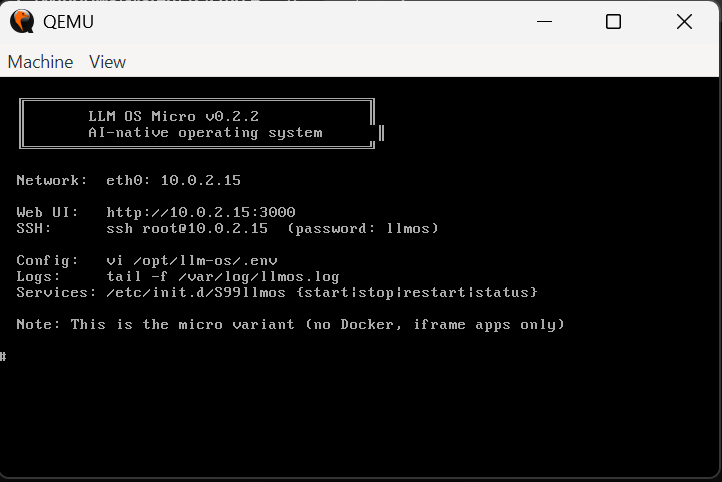
Alpine Linux kernel boots in QEMU, mounts the root filesystem, starts Docker and the LLM OS service. Full boot in under 10 seconds.
First boot
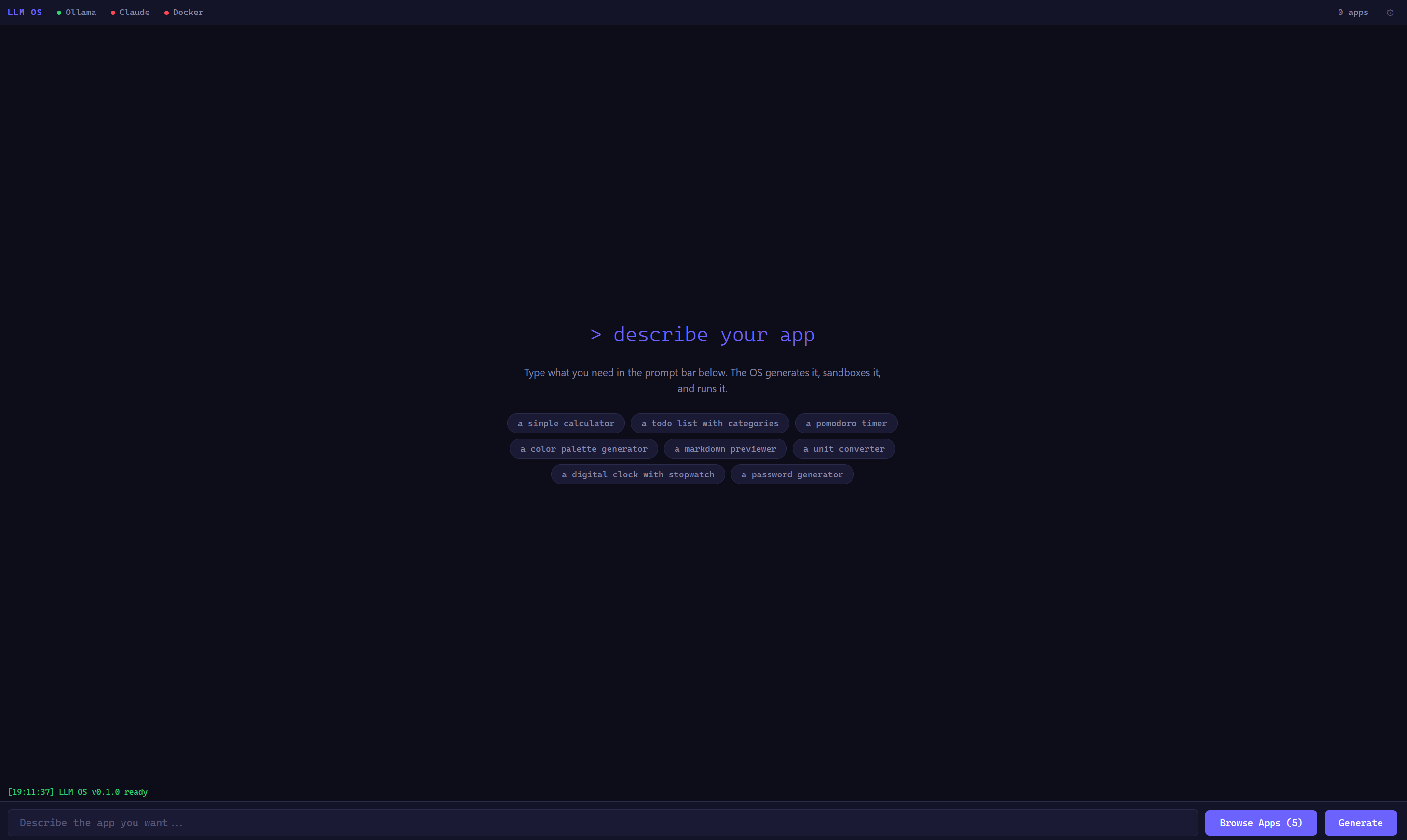
The shell loads with suggested prompts. No apps are installed — everything is generated on demand from the prompt bar. v0.1.0.
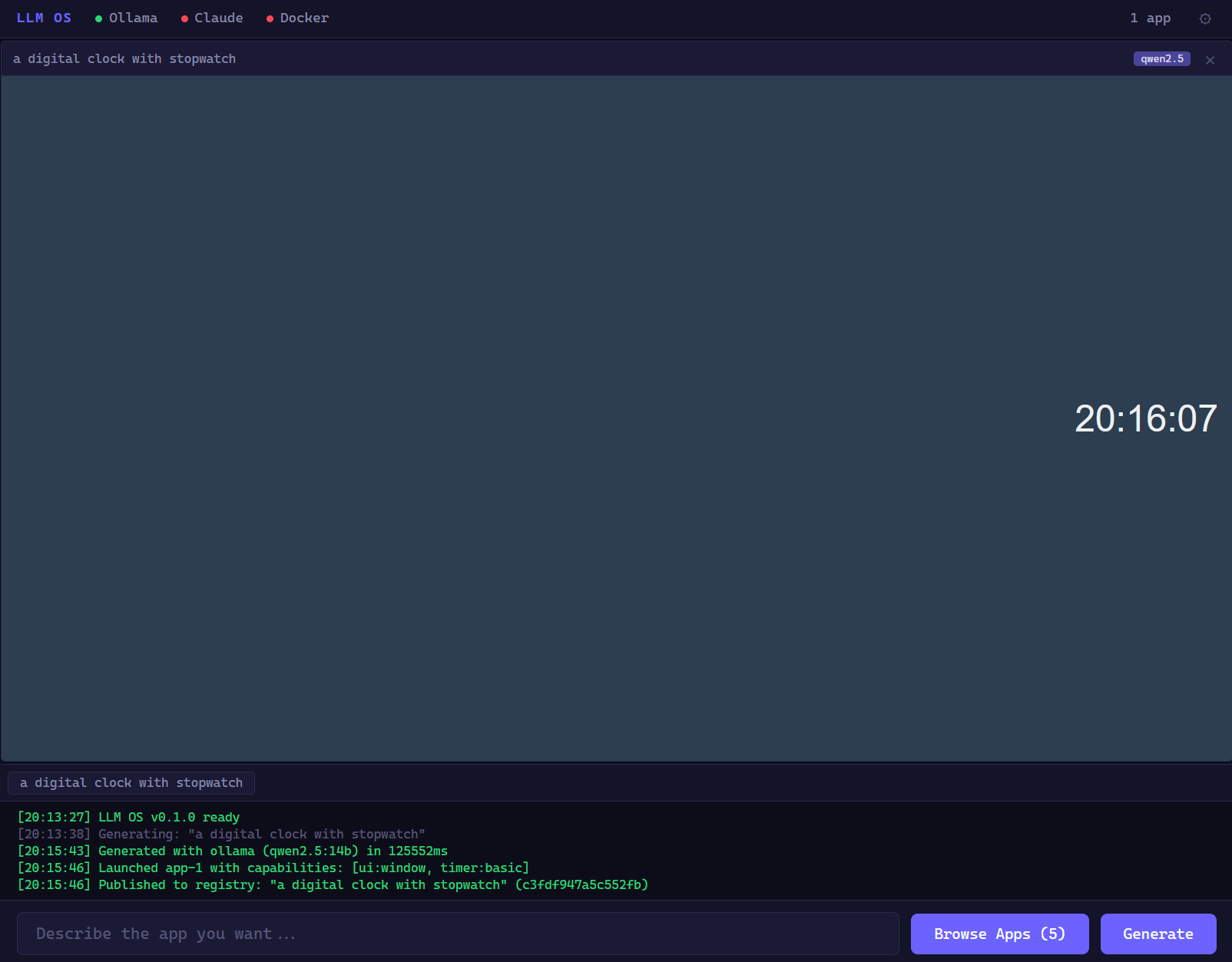
Generated clock appqwen2.5:14b Generated from "make me a clock with a stopwatch". Took ~2 minutes on a local 14B model. Fully functional with start/stop/lap.
App Registry
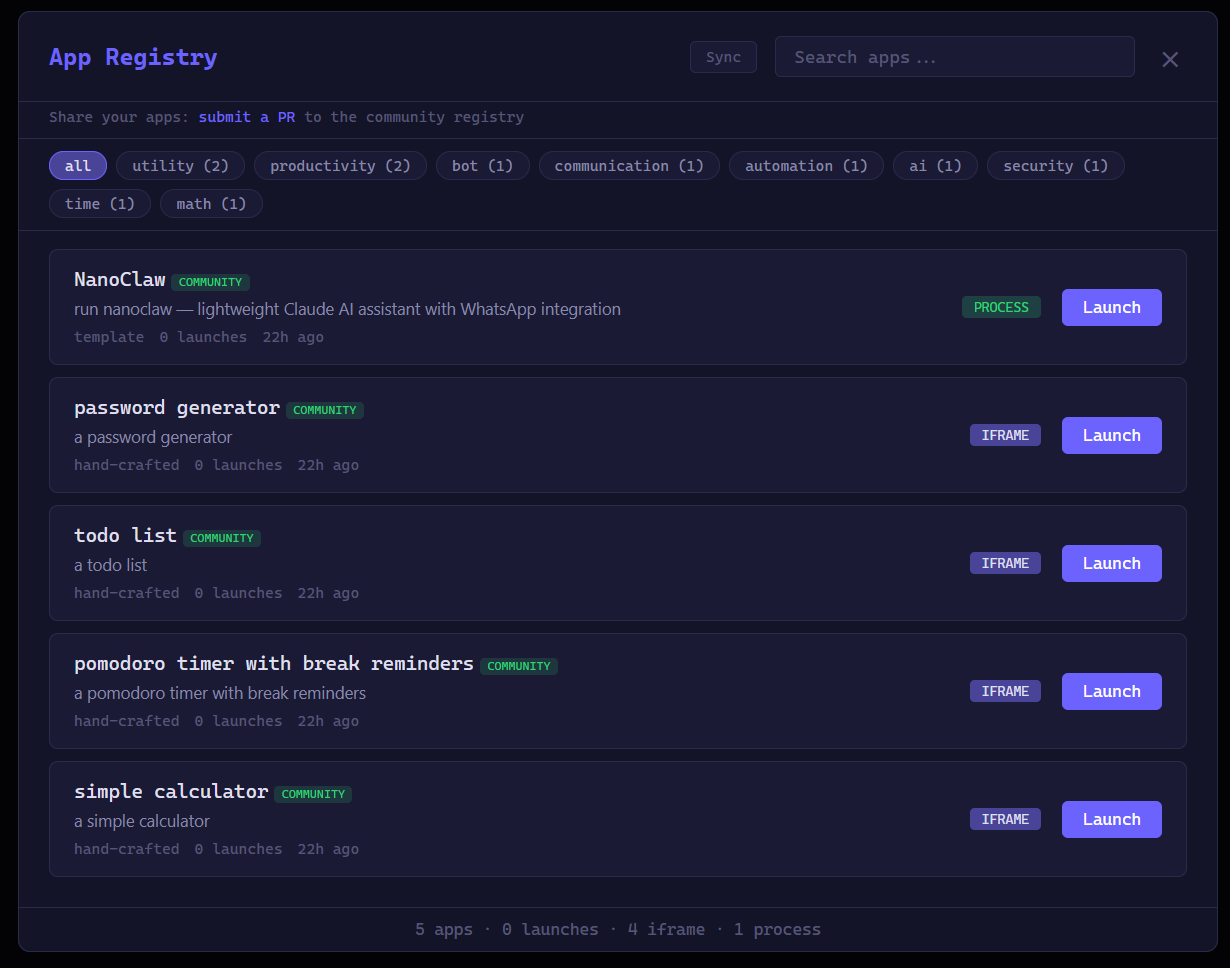
Generated apps are stored, searchable, and re-launchable. Content-addressed with SHA-256. Tag filtering and capability display.
Window management
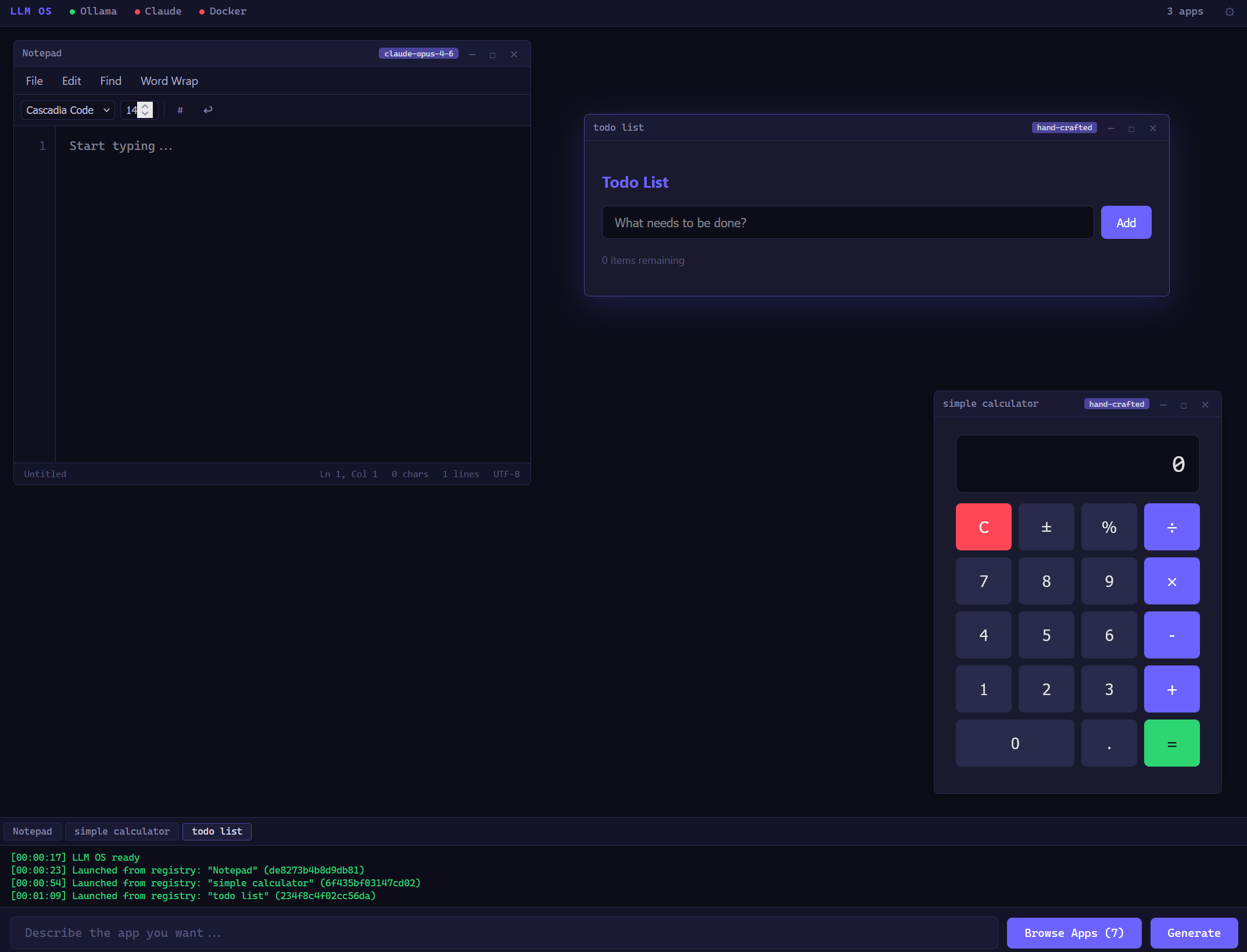
Multiple generated apps running simultaneously — drag, resize, minimize, maximize. Each runs in its own sandboxed iframe with capability tokens.
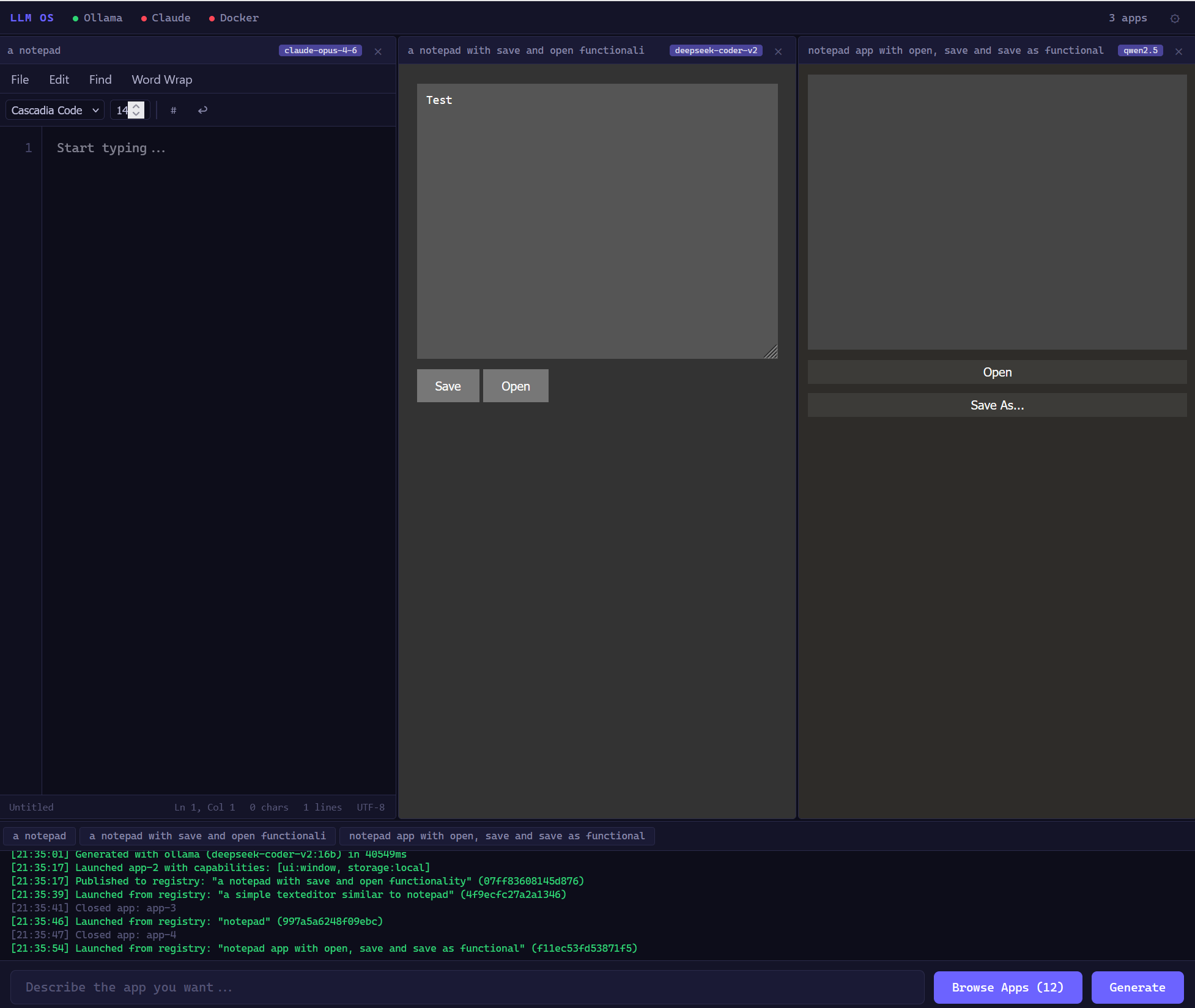
Model comparison: same prompt, three models
"Make a notepad" generated by claude-opus-4-6deepseek-coder-v2qwen2.5:14b — the quality gradient is visible. Opus produces a polished editor, Qwen produces a functional but simpler one. The resource monitor auto-selects the best available model.
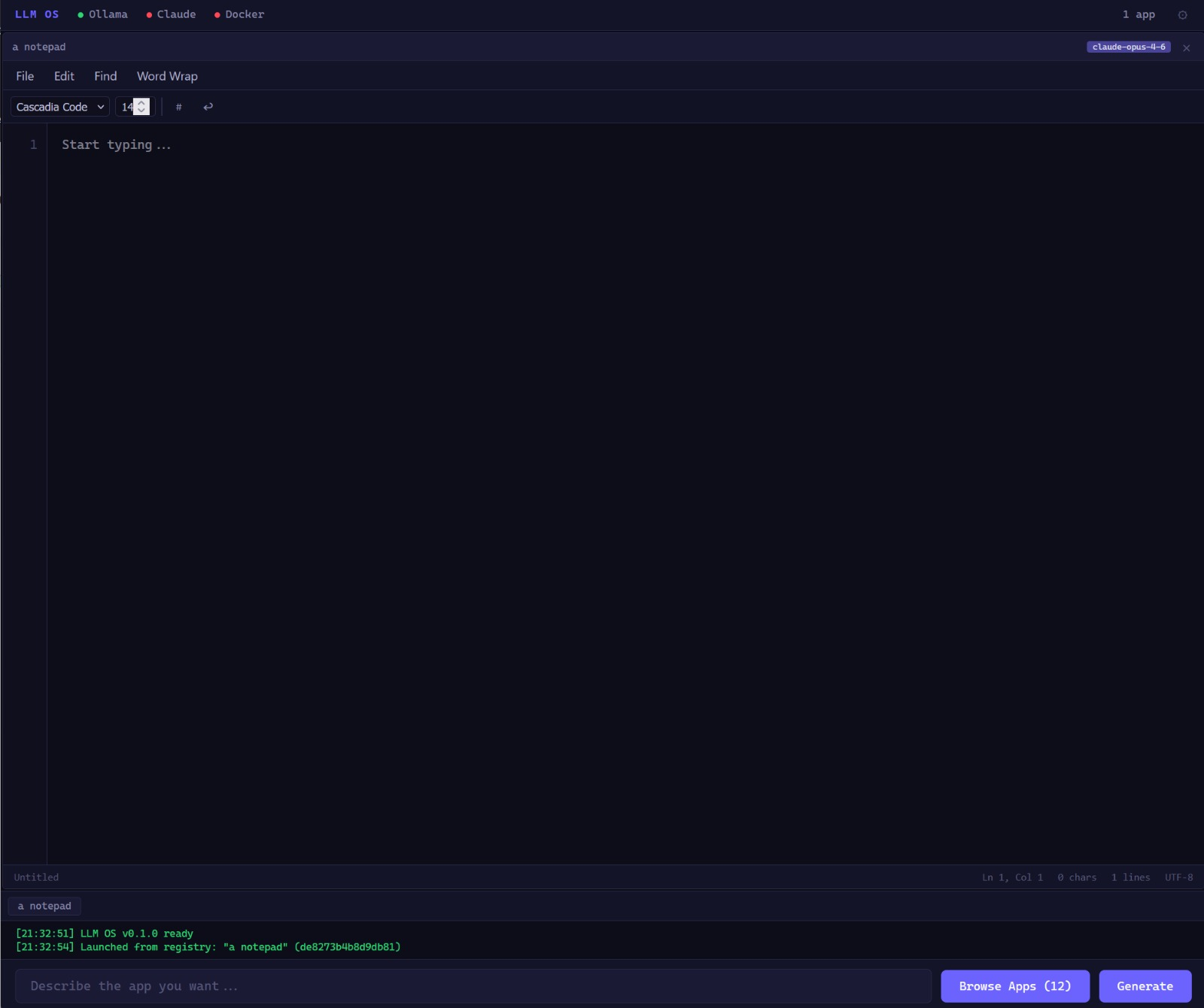
Notepad (Opus)claude-opus-4-6 Rich text formatting, word count, keyboard shortcuts. Cloud models produce the most polished apps.
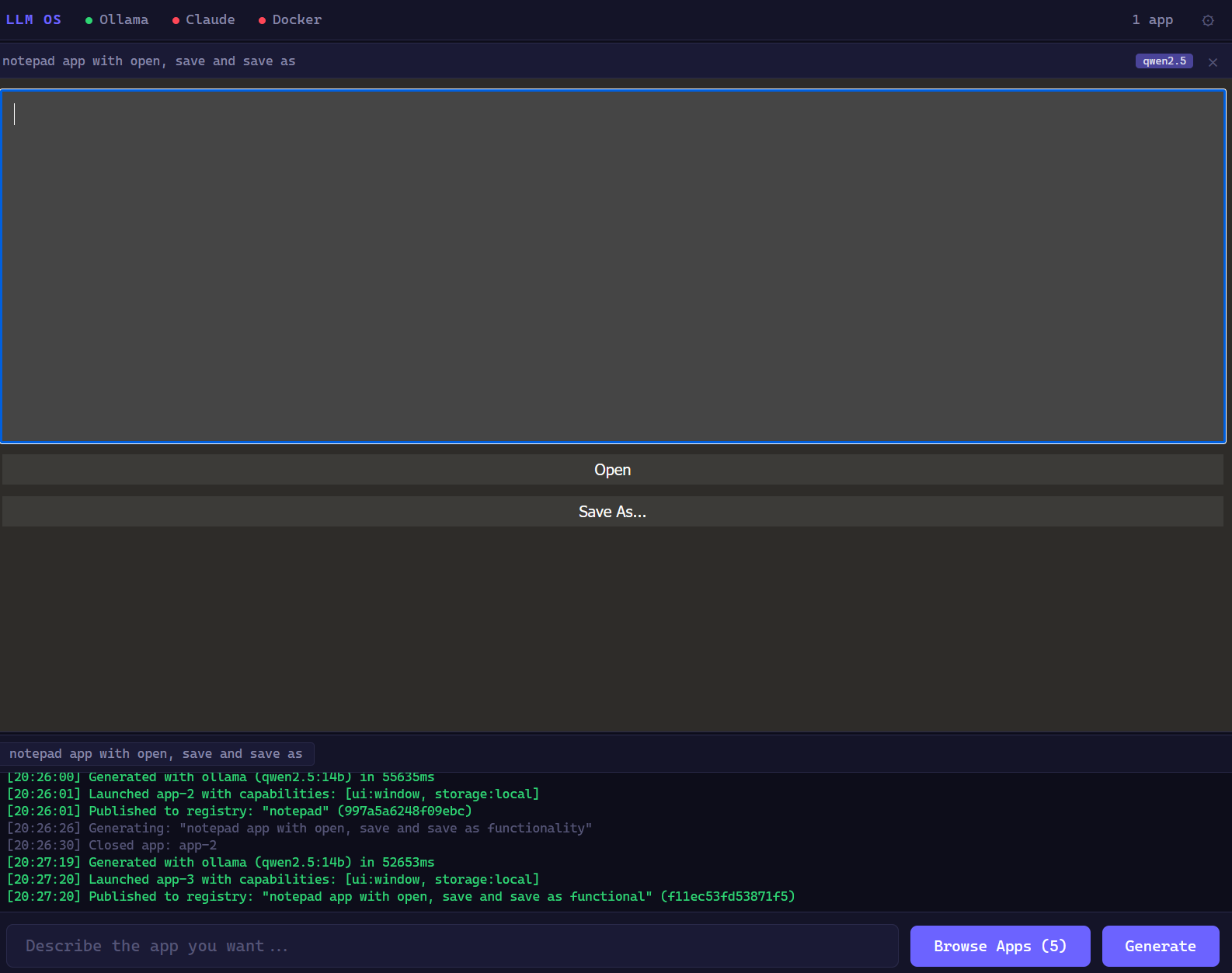
Notepad (Qwen 2.5)qwen2.5:14b~52s local File open/save, basic formatting. Runs entirely offline on a consumer GPU. No API key, no cloud, no cost.
How It Works
From natural language to a running app in seconds. Every step is security-gated.
1
You describe what you need
"Make me a todo list with categories" — plain language, no code required.
2
Intelligent routing classifies your prompt
A small LLM classifies your prompt — type, complexity, template match, model hint. If no LLM is available, regex takes over. Say "using opus" or "with haiku" to pick a specific model.
3
The kernel generates the app
Resource monitor probes available models and picks the strongest one for your task. Supports Ollama, Claude, OpenAI, OpenRouter, Groq, and any compatible API. The system gets smarter as more resources become available.
4
Static analysis scans the code
Deterministic regex/AST scan blocks eval(), dynamic imports, parent frame access, and encoded payloads. No LLM in the loop — no recursive injection.
5
You approve the capabilities
The app declares what it needs (storage, timers, network). You review and approve each one. The app gets nothing you don't explicitly allow.
6
It runs in a sandbox
Three isolation tiers: iframe with strict CSP, WASM sandbox with memory limits, or Docker containers for process apps. HMAC-SHA256 signed capability tokens. Every SDK call is validated against your approved capabilities.
Architecture
Layered design — every layer gets replaced as we move toward an ephemeral OS.
Compose existing software via config (Dockerfiles, supervisor, YAML)
Smart routing: classify prompts, pick models, match templates
Known app templates: launch pre-built Docker blueprints for complex apps (SSH, browsers)
14B local models produce functional apps in under 2 minutes
Cloud models (Opus, GPT-4) produce polished, feature-rich apps
1-3 YEARS
Multi-file generation
Generate full client + server + database apps
Auto-compose microservices from a single description
7B models match today's cloud API quality
Iterative improvement: "make the search faster" refactors the app in place
Inter-app communication: generated apps talk to each other
On-device models fast enough for real-time generation
3-7 YEARS
System-level generation
Generate device drivers from hardware specs
LLM-generated network stacks and filesystem handlers
Shell UI regenerated at every boot from user profile
The OS adapts to you — not the other way around
Ephemeral computing: fresh OS every boot, only user data persists
7-15 YEARS
Full OS generation
Custom microkernel generated from formal specs
Feature-complete browsers and complex apps from scratch
Self-healing: OS detects and patches its own bugs
Zero pre-built software — everything generated, verified, sandboxed
The LLM is the OS. The OS is the LLM.
Best Use Cases
LLM OS isn't trying to replace your desktop. Here's where it shines.
[ orchestration ]
Software on demand
Need a CSV converter? A color picker? A timer with specific intervals? Describe it and it exists. No searching app stores, no installing, no accounts. Use it once and discard it — or save it to the registry.
[ prototyping ]
Rapid prototyping
Test an idea in seconds. "Make a dashboard that shows CPU and memory usage" — you have a working prototype before you'd finish setting up a project. Iterate with follow-up prompts.
[ edge ]
Edge & offline computing
Boot a 50MB VM image on any hypervisor. Point it at a local Ollama instance. Generate and run apps without internet. Useful for air-gapped environments, IoT, or just privacy.
[ education ]
Learning & experimentation
See how different models generate the same app. Understand what LLMs are good at and where they fail. A sandbox for exploring AI capabilities with real, runnable output.
[ personal ]
Personal computing
An OS that adapts to you. Your profile defines what apps to generate at boot, your preferences, your workflows. Every instance is unique. The prompt is the source code — fork anyone's setup.
[ research ]
OS & security research
A real testbed for capability-based security, sandboxing, prompt injection defense, and LLM code generation safety. Every layer is open for inspection, modification, and attack.
Get Started
Three paths. Pick the one that fits.
RECOMMENDED
With Claude Code
Open the repo in VS Code. Claude Code reads CLAUDE.md automatically and knows the entire project.
gh repo fork DayZAnder/llm-os --clonecd llm-oscode .# Tell Claude Code what to build:# "Add resource quotas for Docker apps"# "Add LLM-driven system config"# "Audit the security"
ANY AI TOOL
With ChatGPT, Copilot, etc.
Copy a ready-made prompt from CONTRIBUTING.md into your preferred AI assistant.
gh repo fork DayZAnder/llm-os --clonecd llm-os# Open CONTRIBUTING.md# Copy a component prompt# Paste into your AI tool# Each prompt includes values context
NO AI NEEDED
Just code
Fork, read the README, run the prototype, and pick an issue.
gh repo fork DayZAnder/llm-os --clonecd llm-oscp .env.example .envnode src/server.js# Open http://localhost:3000# npm test (355 tests, zero deps)# Supports Ollama, Claude, OpenAI,# OpenRouter, Groq, Together, vLLM
Values Enforcement
Three layers, no single point of trust. Every contribution is checked.
1
Deterministic Scan
Regex-based static analysis runs locally and in CI. Detects telemetry, sandbox weakening, privacy violations, tracking code. Blocks merge on critical findings.
2
AI Values Guardian
Claude reviews every PR diff against the core values. Posts findings as comments. Catches subtle violations that regex can't see.
3
Human Review
PR template requires values self-certification. Maintainer has final authority on edge cases. No automated system is trusted alone.
Download LLM OS
Boot a full LLM OS instance in your hypervisor. Three variants, three formats — pick what fits.
S
Server
~700 MB · Alpine + Docker + Node.js
Full features, headless. Docker support for process apps. SSH access.
Quick start: Boot the VM, log in as root / llmos, then open http://<vm-ip>:3000 in your browser.
Configure your LLM provider: llmos-config set OLLAMA_URL http://your-ollama:11434 or set ANTHROPIC_API_KEY, OPENAI_API_KEY, etc.
Supports Ollama, Claude, OpenAI, OpenRouter, Together, Groq, vLLM, and LM Studio.
Change the default password on first login!
Formats: QCOW2 (Proxmox/KVM/QEMU), VHDX (Hyper-V), OVA (VirtualBox/VMware).
Licensing: LLM OS code is MIT. VM images include Linux kernel (GPLv2), busybox, and other open-source components.
See THIRD-PARTY-LICENSES.md for full details and source availability.